Sammy's Science House — weather, building and sorting with Sammy the snake Runs here
1994 · Edmark (developed by Theatrix Interactive) · Mac OS 8 · SheepShaver (Power Macintosh 9500) · 640×480 at 8-bit colour
Guide updated October 2026
Yes: Sammy's Science House runs free in your browser on this page. Press Start and it boots Mac OS 8 on an emulated Power Macintosh 9500, with no download, no plugin and no account. Controls: Click a thing in the room (open that activity), Bottom-left Sammy icon (back to Sammy's room). Your progress is saved in your own browser between visits.
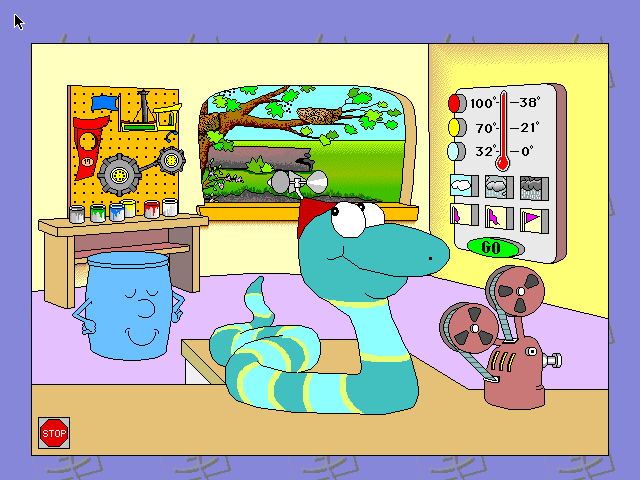
A long striped snake in a red cap lies coiled across a workbench. Behind him are a pegboard of tools, a window onto a pond, a thermostat with a big green GO button and an old film projector. Each of them opens a small science game for children of about three to six: make the weather, sort plants and animals, build a toy from a plan, put a film strip in order.
Sammy's Science House was the third of Edmark's Early Learning House titles, released in 1994. This is the CD version 1.0 from the Macintosh side of the original disc, running on an emulated Power Macintosh under Mac OS 8.6.
Mac OS 8.6 starts and opens Sammy's Science House by itself, in about a minute. Click anything in Sammy's room to go into that activity; the small Sammy icon in the bottom corner brings you back.
Controls
| Mouse | Everything: no reading or typing needed |
| Click a thing in the room | Open that activity |
| Bottom-left Sammy icon | Back to Sammy's room |
| Stop sign (bottom left of the room) | Quit |
Edmark's House series passed from IBM to Riverdeep to Houghton Mifflin Harcourt, which retired the Edmark brand in 2017. This CD release of Sammy's Science House has not been sold for more than twenty years. Full reasoning is in notices/sammys-science-house.md, and the takedown promise applies without argument.
Archives and originals
- Internet Archive: the preserved CD this copy comes from.
How it works & what to expect
| Machine | Power Macintosh, 640×480, 256 colours |
|---|---|
| System | Mac OS 8.6 |
| Emulator | SheepShaver, compiled to WebAssembly |
| Disc | The original Edmark CD's Macintosh application and its data |
| Saves | None needed; every activity starts fresh |
The program runs here on the same emulated Power Mac and shared Mac OS 8.6 system as Millie's Math House and Oregon Trail II. Its activities and voices are on a small disk of their own, so it starts quickly and answers a click at once.
The activities
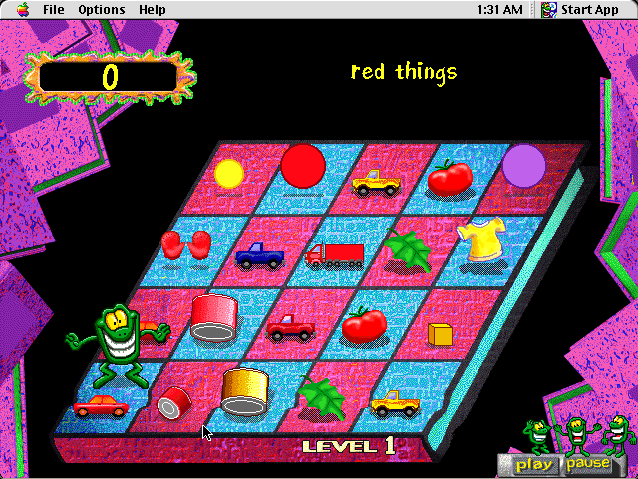
There are five, and every one is spoken and clicked rather than read. In the Weather Machine you set the temperature, the clouds and the wind, press GO and watch the weather you made, then try to make the weather the bear asks for. The Sorting Station puts things into groups by what they have in common. The Workshop builds toys and machines by matching parts to a plan. Acorn Pond is about the animals that live around a pond, and Make-A-Movie puts the frames of a short film into the right order and then plays it.
Like the rest of the House series, each activity can be explored freely or played as a set of questions.
Why people remember it
Sammy's Science House won a Parents' Choice Award in 1994 and was a fixture of preschool and kindergarten computers alongside Millie's Math House and Bailey's Book House. The Weather Machine in particular is the bit people describe when they are trying to remember what the game was called.
Questions people ask
Is this the real Sammy's Science House?
Yes: Edmark's 1994 CD version, running from the original Macintosh CD on an emulated Power Macintosh.
What age is it for?
Edmark pitched it at about three to six. Everything is spoken, so a child does not need to read.
How does the Weather Machine work?
Pick a temperature, a cloud and a wind with the buttons on the right, then press GO to see the weather you made.
Is it still sold?
No. Edmark's House series has been out of print for many years; the brand was retired in 2017.
Put Sammy's Science House on your own site
Free, no permission needed and no account. Paste this where you want the machine to appear; it brings its own emulator and asks nothing of your page.
<iframe src="https://macemu.com/embed/sammys-science-house/"
        width="640" height="480"
        style="border:0;max-width:100%"
        allowfullscreen
        title="Sammy's Science House"></iframe>
Sized to this title's real screen. How embedding works.