Deco — and a nag screen with a toll-free number on it
Runs here
1997 · Monkey Byte Development · Mac OS 8 · SheepShaver (Power Macintosh 9500) · 800×600 at 8-bit colour
Guide updated September 2026
Yes: Deco runs free in your browser on this page. Press Start and it boots Mac OS 8 on an emulated Power Macintosh 9500, with no download, no plugin and no account. Controls: Not Yet button (dismiss the registration reminder and play), Arrow keys (move and rotate the falling pieces). Your progress is saved in your own browser between visits. It plays best with a keyboard; on a phone, on-screen keys appear once it starts.
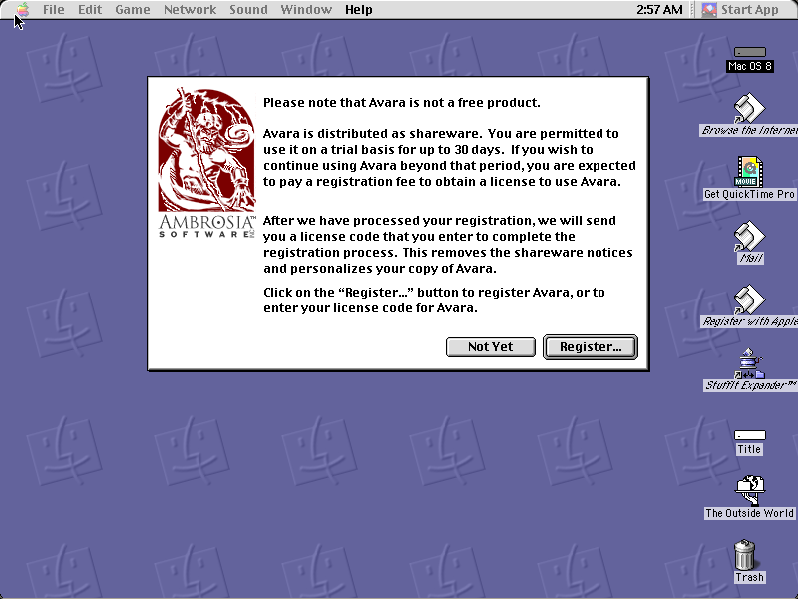
A falling-block puzzle game from Monkey Byte Development, whose logo — a grinning monkey in an oval — is the first thing on the registration dialog.
That dialog is worth a look before you dismiss it: a toll-free order line, a web address, buttons to copy the URL to the clipboard or connect to it directly, and a "Not Yet" that lets you play anyway. Registering unlocked the high-score display; the game itself was never crippled.
Boots Mac OS 8.6 and opens Deco. Click "Not Yet" past the registration notice and press Start.
Controls
| Not Yet button | Dismiss the registration reminder and play |
| Arrow keys | Move and rotate the falling pieces |
| Start | Begin a game |
| Cmd-Q | Quit to the Finder |
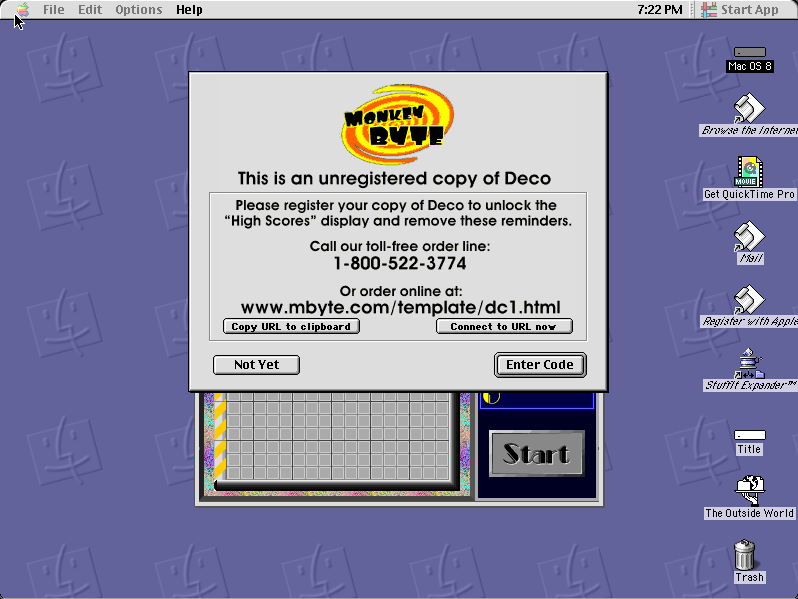
Shareware with a registration reminder and no lock on play — registering unlocked the high-score display. Unregistered and unmodified, with the notice and order details intact.
Archives
- Internet Archive — the Tucows Macintosh archive copy this was built from.
How it works & what to expect
| Machine | Power Macintosh 9500, 800×600 in colour |
|---|---|
| System | Mac OS 8.6, shared with every other title of this era |
| Emulator | SheepShaver, compiled to WebAssembly |
| Saves | Settings persist inside the emulated Mac |
The "Connect to URL now" button on the registration dialog will not do anything — the emulated Macintosh has no route to the internet. Everything else on that screen works as it did.
Deco does not carry its own operating system; Mac OS 8.6 comes from the shared image, so it starts faster if you have already opened another Mac OS 8 title.
Why it is here
The nag screen is the period detail. A toll-free number, a clipboard button for the URL, and an offer to dial out and register on the spot — that is 1997 software distribution in one dialog box.
The soft limit. Withholding the high-score table rather than the game is a gentle version of the shareware bargain, and a sign of an author who expected to be paid by people who liked it rather than by people who were blocked.
It preserves a small publisher. Monkey Byte Development left very little behind. This is one of the pieces.
Getting started
Click "Not Yet", then Start. Nothing is withheld except the high-score display.
Play a few pieces before deciding how it handles — falling-block games differ in their rotation rules and this one has its own feel.
Ignore the Connect button; there is nothing on the other end of it inside an emulator.
Questions people ask
Do I need to register?
No. Click "Not Yet" and the game plays in full; registering only unlocked the high-score display.
Does the Connect to URL button work?
No. The emulated Macintosh has no internet connection.
Is it in colour?
Yes, 800×600 on an emulated Power Macintosh.
Can I save?
Settings persist inside the emulated Macintosh in your browser.
Who made it?
Monkey Byte Development, released as Macintosh shareware in 1997.
Why does it take a while to start?
It boots Mac OS 8.6 first, from the image shared with the other Mac OS 8 titles here.
Put Deco on your own site
Free, no permission needed and no account. Paste this where you want the machine to appear; it brings its own emulator and asks nothing of your page.
<iframe src="https://macemu.com/embed/deco/"
        width="800" height="600"
        style="border:0;max-width:100%"
        allowfullscreen
        title="Deco"></iframe>
<p><a href="https://macemu.com/run/deco/">Play Deco</a> free on macemu</p>
Sized to this title's real screen. How embedding works.