Escape Velocity — the original, from 1996 Runs here
1996 · Ambrosia Software · Mac OS 8 · SheepShaver (Power Macintosh 9500) · 800×600 at 8-bit colour
Guide updated September 2026
Build a trading empire, help the Rebellion in its civil war, or strike out as a pirate: Escape Velocity's own FAQ says there is no right way to play it. You start with a small ship and some credits and the galaxy is open.
This is the original, written by Matt Burch and published by Ambrosia in May 1996, the game that started the EV series. Version 1.0.5, running on an emulated Power Macintosh.
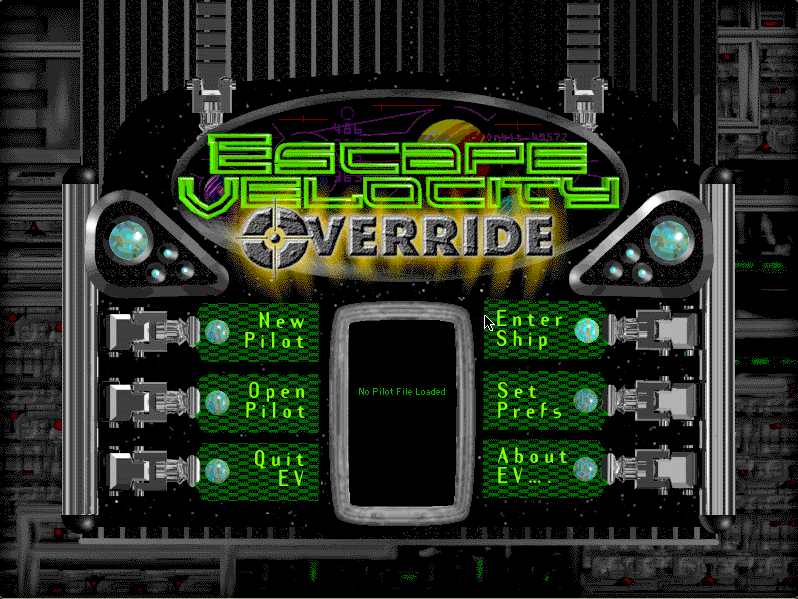
Boots Mac OS 8.6 and opens Escape Velocity by itself. Choose New Pilot, name your pilot and ship, then Enter Ship. The opening story plays first; click through it.
Controls
| Arrow keys | Thrust and turn |
| Space | Fire the primary weapons |
| Esc | Pause; Enter Ship resumes |
| Set Prefs | See and change every key from the main menu |
| Cmd-Q | Quit to the Finder |
Escape Velocity is Ambrosia Software shareware. Its licence permits non-profit distribution provided the software is unmodified and the complete works are included, and both are true here. The copy is unregistered, and the shareware notice it shows is left in place. Full reasoning is in notices/escape-velocity.md.
Archives
- Internet Archive: Ambrosia Software CD 7, the company's own compilation disc, which this copy's installer came from.
How it works & what to expect
| Machine | Power Macintosh, 800×600, 256 colours |
|---|---|
| System | Mac OS 8.6 |
| Emulator | SheepShaver, compiled to WebAssembly |
| Version | Escape Velocity 1.0.5 (May 1997; first released 5 May 1996) |
| Saves | Inside the emulated Mac, in your browser |
The first start is the slow one: Mac OS 8.6 downloads once and every Mac OS 8 title after it starts much faster. Escape Velocity takes the whole screen. Your pilot is saved automatically every time you land.
Starting out
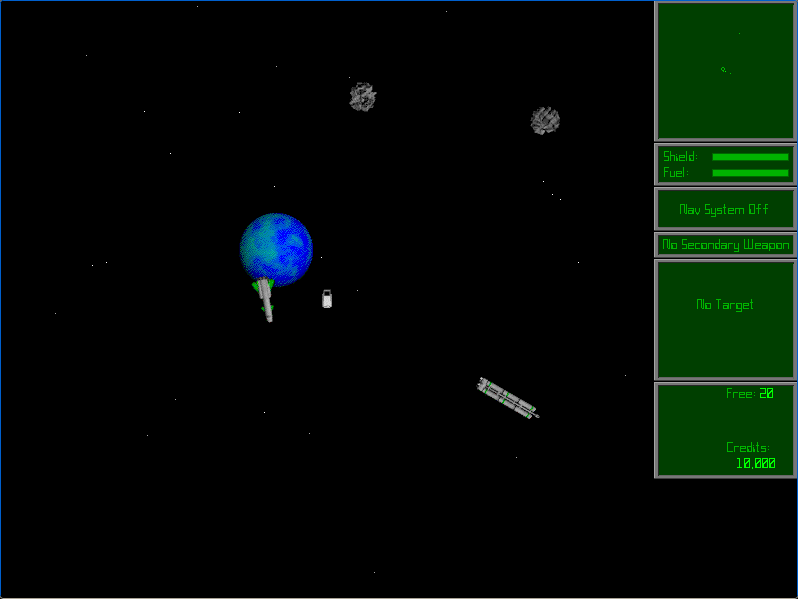
From the main menu choose New Pilot, give yourself and your ship a name, and Enter Ship. A short story plays (the new age of peace and prosperity, it begins, was a failure) and then you are in space above a planet with 10,000 credits and not much of a ship.
The FAQ's advice is to read the first few chapters of the included documentation and then do what you like. Missions come from landing and looking around; your legal status changes system by system; and you can join a government if you want a side. Planning a long trip? The map supports route planning across several jumps.
Strict Play, and the series that followed
New pilots can choose Strict Play. The FAQ explains it plainly: with it on, when your pilot dies he is truly dead, so be quick to jettison in the escape pod. Without it, Open Pilot puts you back on the last planet you landed on.
Escape Velocity was followed by EV Override in 1998, with a universe five times the size, and EV Nova in 2002. The engine's openness to plug-ins is why the series still has a following.
Questions people ask
Is this the original Escape Velocity?
Yes: version 1.0.5 of the 1996 Macintosh game, from Ambrosia's own installer, not a remake.
How do I start?
New Pilot, name your pilot and ship, then Enter Ship. Click through the opening story and you are in space.
How do I pause?
Press Esc. Enter Ship resumes. Command-Q quits to the Finder.
How is my pilot saved?
Automatically, every time you land on a planet, inside the emulated Mac in your browser.
What is Strict Play?
An option for new pilots: if your pilot dies, the pilot file records the death and you must start again. Without it, you resume from the last planet you landed on.
Are there cheat codes?
The game's own FAQ answers that in one word: no.
Is it legal to play here?
Escape Velocity is Ambrosia shareware, and its licence allows non-profit distribution as long as the software is unmodified and complete. This site is non-profit and carries no advertising.
Put Escape Velocity on your own site
Free, no permission needed and no account. Paste this where you want the machine to appear; it brings its own emulator and asks nothing of your page.
<iframe src="https://macemu.com/embed/escape-velocity/"
        width="800" height="600"
        style="border:0;max-width:100%"
        allowfullscreen
        title="Escape Velocity"></iframe>
Sized to this title's real screen. How embedding works.